> ## Documentation Index
> Fetch the complete documentation index at: https://docs.cutmeshort.com/llms.txt
> Use this file to discover all available pages before exploring further.
# Sale Track
> Understand sale attribution with practical payload examples and implementation.
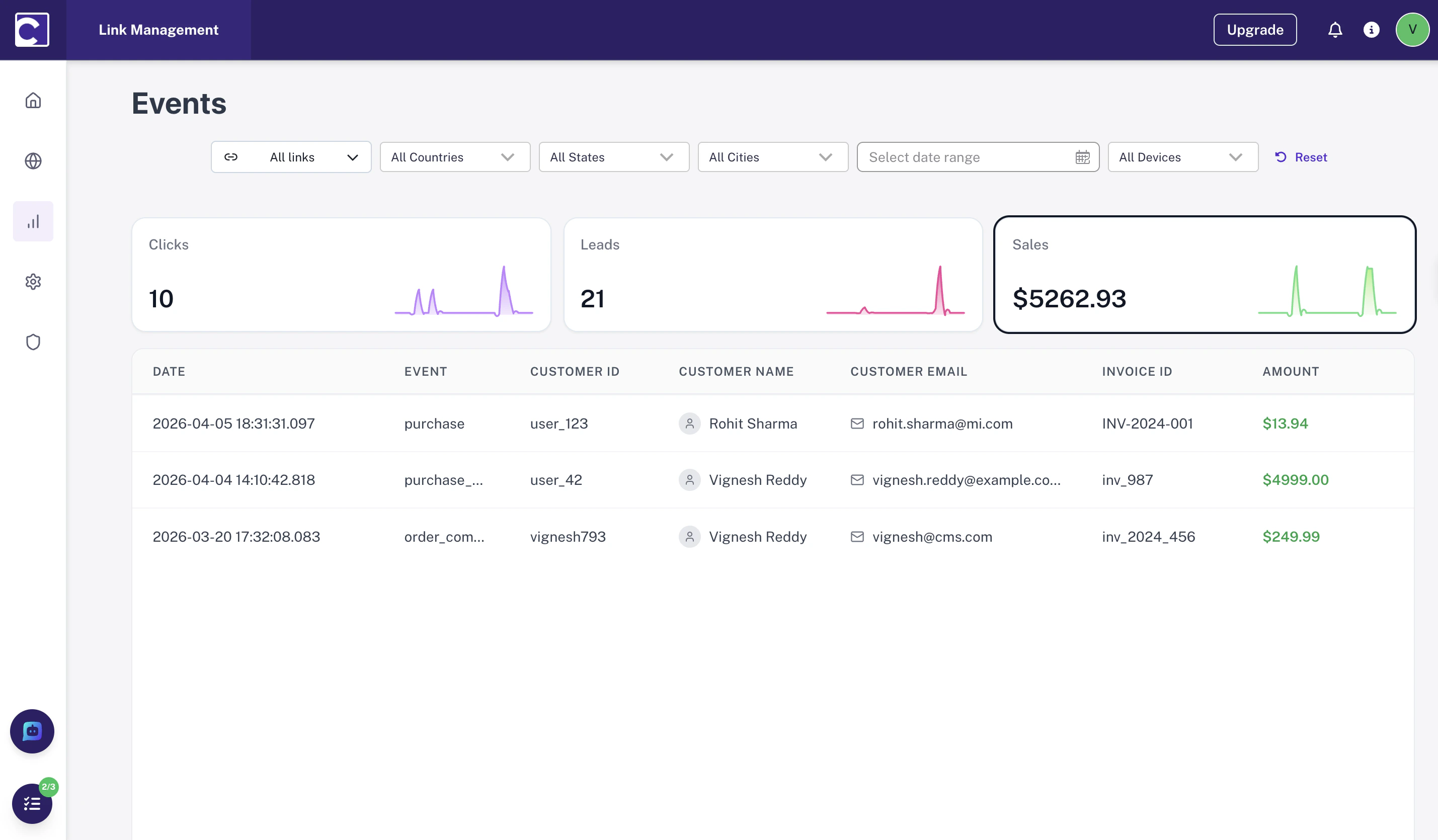
## What is a Sale Event?
Sale events help you:
* **Attribute revenue** to the correct source and campaign
* **Measure conversion quality** across traffic channels
* **Connect lead-to-sale journeys** so you can see which leads actually became customers
 ***
Common sale events include:
| Event | Description |
| ---------------------- | ----------------------------------- |
| `checkout_completed` | User finishes a successful purchase |
| `subscription_created` | Paid plan starts after checkout |
| `payment_captured` | Payment is confirmed on the server |
| `order_paid` | Order moves from pending to paid |
## Tracking Flow
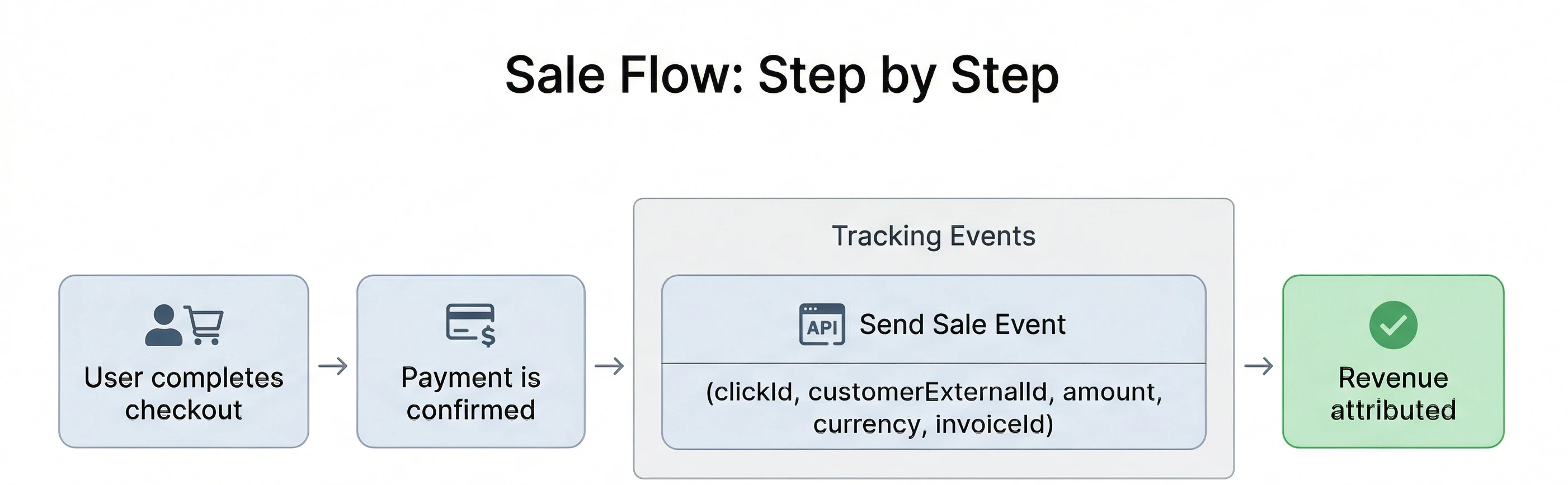
Sale tracking is usually a single revenue event that you send once the payment is confirmed.
* Send the event **after the purchase is successful**
* Include the same stable identifiers used in your lead flow
* Pass revenue fields like `amount`, `currency`, and an invoice identifier
***
Common sale events include:
| Event | Description |
| ---------------------- | ----------------------------------- |
| `checkout_completed` | User finishes a successful purchase |
| `subscription_created` | Paid plan starts after checkout |
| `payment_captured` | Payment is confirmed on the server |
| `order_paid` | Order moves from pending to paid |
## Tracking Flow
Sale tracking is usually a single revenue event that you send once the payment is confirmed.
* Send the event **after the purchase is successful**
* Include the same stable identifiers used in your lead flow
* Pass revenue fields like `amount`, `currency`, and an invoice identifier
 **clickId** is optional for sale tracking
### What to send
**Required fields:**
* `customerExternalId` — stable identifier for the customer
* `amount` — revenue value for the sale
* `invoiceId` — helps deduplicate retries and repeated submissions
**Strongly recommended:**
* `event` — should describe the purchase action, such as `sale`
* `currency` — currency code such as `USD` or `EUR`
* `timestamp` — improves sequencing and debugging
**Optional but useful:**
* `email`, `name`, `clickId` — enriches identity matching
## How Sale Attribution Works
Sale attribution works by matching the purchase event back to the original traffic source.
1. A user clicks a tracked link and receives a `clickId`.
2. The user later becomes a lead or customer using the same stable identifier.
3. When the payment succeeds, you send the sale event with the same `customerExternalId` and the original `clickId`.
4. The platform ties the revenue to the source that initiated the journey.
**Do not generate a new customer identifier at sale time.** If the sale event uses a different `customerExternalId`, the attribution chain can break and revenue may not connect to the original lead.
## Payload
A single revenue event after payment is confirmed.
```json theme={null}
{
"event": "sale",
"timestamp": "2026-04-10T12:45:10.000Z",
"customerExternalId": "user_123",
"email": "alex@example.com",
"name": "Alex Johnson",
"currency": "USD",
"amount": 199.0,
"invoiceId": "inv_987"
}
```
**All revenue is normalized to USD.**
* If `currency` is not provided, the system assumes the `amount` is in USD.
* If `currency` is provided (e.g., `INR`, `CNY`, `EUR`), the amount is automatically converted to USD before storage and reporting.
* Currency conversions are performed using the **current day’s exchange rate**.
## Fields
| Field | Required | Notes |
| -------------------- | ----------- | ----------------------------------------------------- |
| `event` | Yes | Use a purchase-oriented name such as `sale`. |
| `customerExternalId` | Yes | Stable customer identifier used across lead and sale. |
| `amount` | Yes | Revenue amount for the sale. |
| `currency` | Yes | ISO currency code such as `USD`, `EUR`, or `INR`. |
| `invoiceId` | Recommended | Helps prevent duplicate revenue records. |
| `timestamp` | Recommended | ISO 8601 format is preferred. |
| `clickId` | Optional | Useful for enriching data. |
| `email` | Optional | Useful for identity matching and reporting. |
| `name` | Optional | Useful for enriching customer data. |
**clickId** is optional for sale tracking
### What to send
**Required fields:**
* `customerExternalId` — stable identifier for the customer
* `amount` — revenue value for the sale
* `invoiceId` — helps deduplicate retries and repeated submissions
**Strongly recommended:**
* `event` — should describe the purchase action, such as `sale`
* `currency` — currency code such as `USD` or `EUR`
* `timestamp` — improves sequencing and debugging
**Optional but useful:**
* `email`, `name`, `clickId` — enriches identity matching
## How Sale Attribution Works
Sale attribution works by matching the purchase event back to the original traffic source.
1. A user clicks a tracked link and receives a `clickId`.
2. The user later becomes a lead or customer using the same stable identifier.
3. When the payment succeeds, you send the sale event with the same `customerExternalId` and the original `clickId`.
4. The platform ties the revenue to the source that initiated the journey.
**Do not generate a new customer identifier at sale time.** If the sale event uses a different `customerExternalId`, the attribution chain can break and revenue may not connect to the original lead.
## Payload
A single revenue event after payment is confirmed.
```json theme={null}
{
"event": "sale",
"timestamp": "2026-04-10T12:45:10.000Z",
"customerExternalId": "user_123",
"email": "alex@example.com",
"name": "Alex Johnson",
"currency": "USD",
"amount": 199.0,
"invoiceId": "inv_987"
}
```
**All revenue is normalized to USD.**
* If `currency` is not provided, the system assumes the `amount` is in USD.
* If `currency` is provided (e.g., `INR`, `CNY`, `EUR`), the amount is automatically converted to USD before storage and reporting.
* Currency conversions are performed using the **current day’s exchange rate**.
## Fields
| Field | Required | Notes |
| -------------------- | ----------- | ----------------------------------------------------- |
| `event` | Yes | Use a purchase-oriented name such as `sale`. |
| `customerExternalId` | Yes | Stable customer identifier used across lead and sale. |
| `amount` | Yes | Revenue amount for the sale. |
| `currency` | Yes | ISO currency code such as `USD`, `EUR`, or `INR`. |
| `invoiceId` | Recommended | Helps prevent duplicate revenue records. |
| `timestamp` | Recommended | ISO 8601 format is preferred. |
| `clickId` | Optional | Useful for enriching data. |
| `email` | Optional | Useful for identity matching and reporting. |
| `name` | Optional | Useful for enriching customer data. |