> ## Documentation Index
> Fetch the complete documentation index at: https://docs.cutmeshort.com/llms.txt
> Use this file to discover all available pages before exploring further.
# Getting Started
> Understanding the basics of CutMe Short's API.
Please note that CutMe Short's API is currently in beta. We welcome any
questions or feedback you may have. Feel free to reach out to us at
[support@cutmeshort.com](mailto:support@cutmeshort.com?subject=CutMeShort%20API%20Feedback).
## Base URL
The CutMe Short API is built on REST principles and is served over HTTPS.
The Base URL for all API endpoints is:
```bash Terminal theme={null}
https://api.cme.sh
```
## Authentication
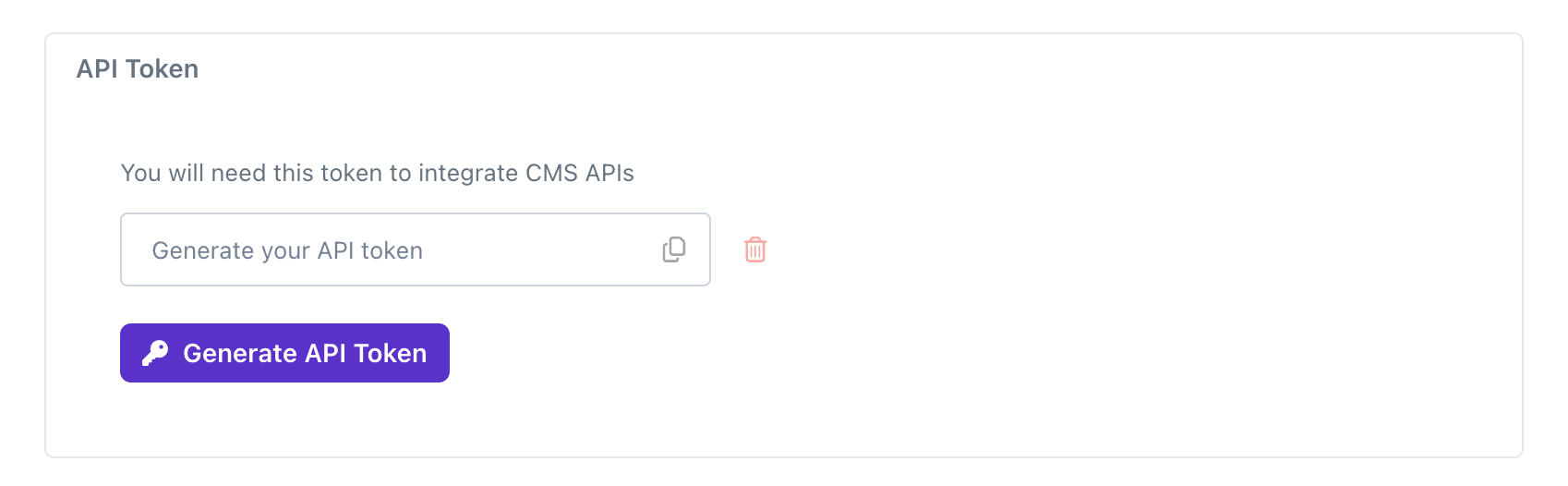
To access CutMe Short's API, you need to authenticate using a Bearer token. Include the token in the Authorization header of your API requests like this:
```bash Terminal theme={null}
Authorization: Bearer
```
You can generate a new token/API key under your [Account Settings](https://app.cutmeshort.com).
 ## Workspace ID
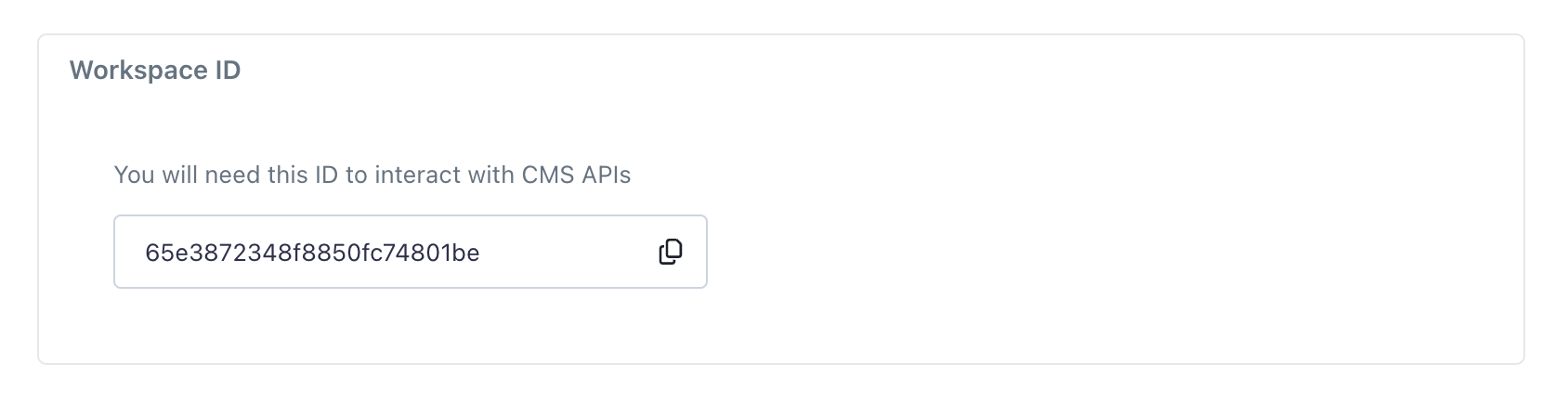
CutMe Short's API is organized around workspaces. To access a workspace's resources, include the workspaceId parameter in your API requests either in the query param or request body:
```bash Terminal theme={null}
https://api.cme.sh/links?workspaceId=
```
You can get your workspace ID under your Settings.
## Workspace ID
CutMe Short's API is organized around workspaces. To access a workspace's resources, include the workspaceId parameter in your API requests either in the query param or request body:
```bash Terminal theme={null}
https://api.cme.sh/links?workspaceId=
```
You can get your workspace ID under your Settings.
 ## Response Codes
The API returns standard HTTP response codes to indicate the success or failure of an API request. Here are a few examples:
| Code | Description |
| ----- | ---------------------------------------------------------------------------------------------- |
| `200` | The request was successful. |
| `400` | The request was invalid or cannot be served. |
| `401` | The request requires user authentication. |
| `403` | The server understood the request, but refuses to authorize it. |
| `404` | The requested resource could not be found. |
| `429` | Too many requests. |
| `500` | The server encountered an unexpected condition which prevented it from fulfilling the request. |
## Rate limits
CutMe Short's API enforces a rate limit of **60 requests per minute** per user.
This limitation is in place to promote fair usage and prevent any single user from disproportionately impacting the performance and availability of the API for others.
If you exceed the rate limit, you will receive a 429 Too Many Requests response code. This indicates that your request cannot be processed at the moment due to exceeding the allowed number of requests within the specified timeframe.
## Important Notes
CutMe Short's API is currently in public beta and may be subject to changes.
However, we are committed to minimizing any breaking changes to the API as
much as possible. Your feedback is valuable to us as we continue to improve
our services. Feel free to reach out to us with any questions or concerns.
## Response Codes
The API returns standard HTTP response codes to indicate the success or failure of an API request. Here are a few examples:
| Code | Description |
| ----- | ---------------------------------------------------------------------------------------------- |
| `200` | The request was successful. |
| `400` | The request was invalid or cannot be served. |
| `401` | The request requires user authentication. |
| `403` | The server understood the request, but refuses to authorize it. |
| `404` | The requested resource could not be found. |
| `429` | Too many requests. |
| `500` | The server encountered an unexpected condition which prevented it from fulfilling the request. |
## Rate limits
CutMe Short's API enforces a rate limit of **60 requests per minute** per user.
This limitation is in place to promote fair usage and prevent any single user from disproportionately impacting the performance and availability of the API for others.
If you exceed the rate limit, you will receive a 429 Too Many Requests response code. This indicates that your request cannot be processed at the moment due to exceeding the allowed number of requests within the specified timeframe.
## Important Notes
CutMe Short's API is currently in public beta and may be subject to changes.
However, we are committed to minimizing any breaking changes to the API as
much as possible. Your feedback is valuable to us as we continue to improve
our services. Feel free to reach out to us with any questions or concerns.