

Link Creation Process
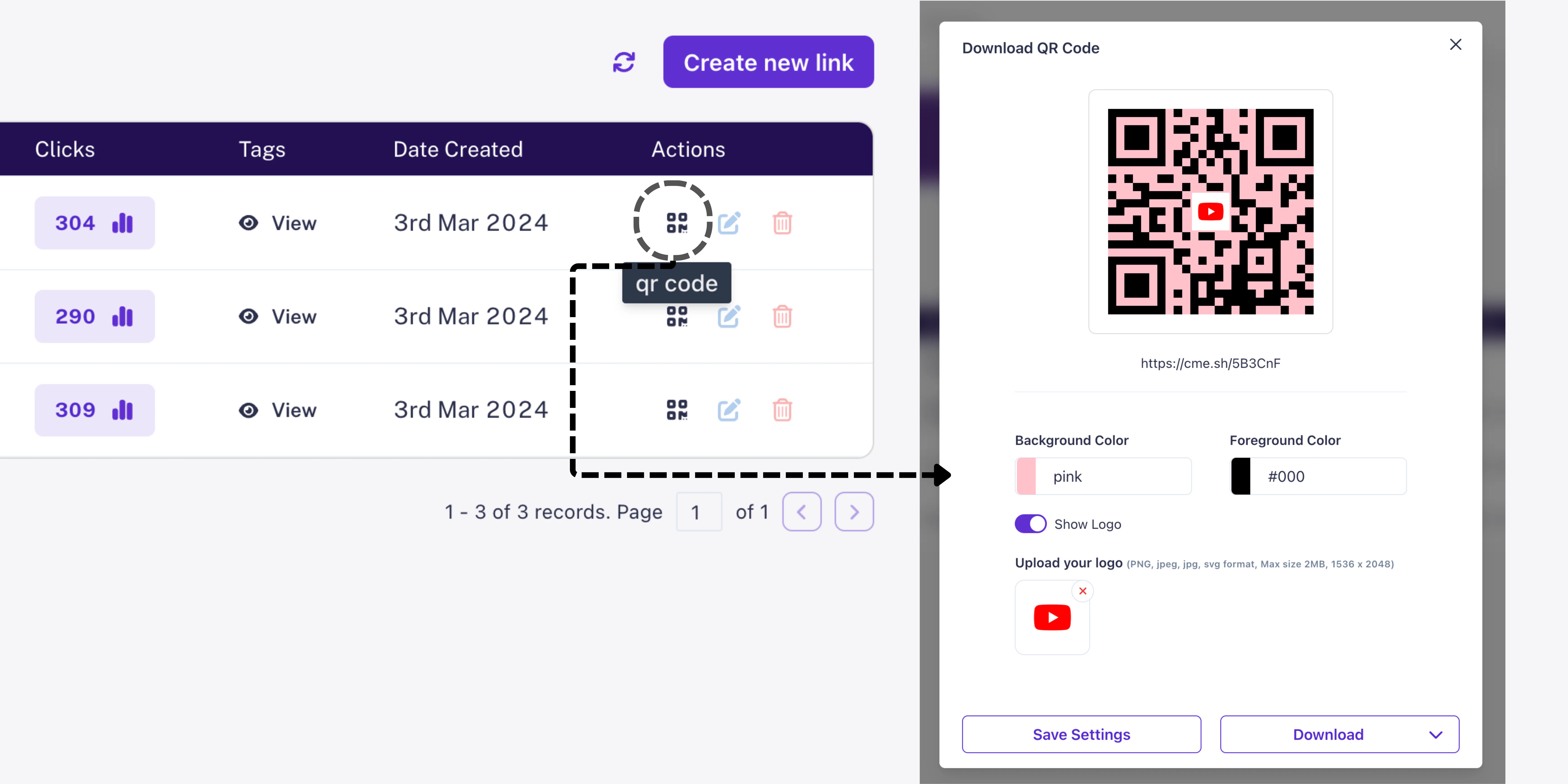
Upon successful creation of a short URL, users are presented with the option to view and edit the associated QR code. This streamlined process enables users to quickly generate QR codes for their links without any additional steps. Users have the flexibility to customize their QR codes by adding or removing logos, adjusting foreground and background colors, and fine-tuning other visual elements to align with their branding preferences.Links Listing Page
In addition to the link creation process, users can also view and edit QR codes directly from the links listing page. This centralized hub allows users to manage their QR codes efficiently, providing easy access to customization options for each shortened URL. With high-quality QR codes available for every link, users can seamlessly incorporate QR code marketing strategies into their campaigns, enhancing user engagement and interaction with their content.Customization Options
- Logo Insertion: Personalize QR codes by adding logos or branding elements, reinforcing brand identity and recognition.
- Color Adjustments: Customize foreground and background colors of QR codes, ensuring visual consistency with brand aesthetics.
- Downloadable Formats: Download customized QR codes in PNG and JPEG formats for versatility in marketing materials and platforms.
Benefits
- Enhanced Branding: Reinforce brand identity and recognition, fostering trust and credibility among the audience.
- Improved Engagement: Facilitate seamless interaction between offline and online channels, encouraging user engagement and action.
- Streamlined Management: Efficiently manage QR codes and track their performance alongside shortened URLs.
- Versatile Applications: Utilize custom QR codes as a versatile marketing tool for various campaigns and channels, including print materials, digital platforms, and offline events.