

- Lead: A user shows intent (e.g., submits a form, requests a demo, signs up).
- Sale: A user completes a purchase (e.g., checkout success, subscription created, payment captured).
Where to send these events
- Lead API:
POST /track/lead - Sale API:
POST /track/sale
Important notes
- Identifiers: Send at least one stable identifier (
customerExternalId,email, phone, etc.) and keep it consistent between Lead and Sale. - Timestamp: Prefer an ISO 8601 UTC timestamp (e.g.
2026-04-10T12:34:56.000Z). - Attribution IDs: If you have a
clickId(or similar attribution id) from the short-link click, include it. - Deduplication: Avoid sending the same conversion multiple times (e.g., retries). If your integration retries, ensure your backend can de-dupe by
invoiceId/order id (Sale) or a lead id (Lead).
Lead event
Use Lead when the user becomes a qualified contact (they raised their hand), even if they have not paid yet.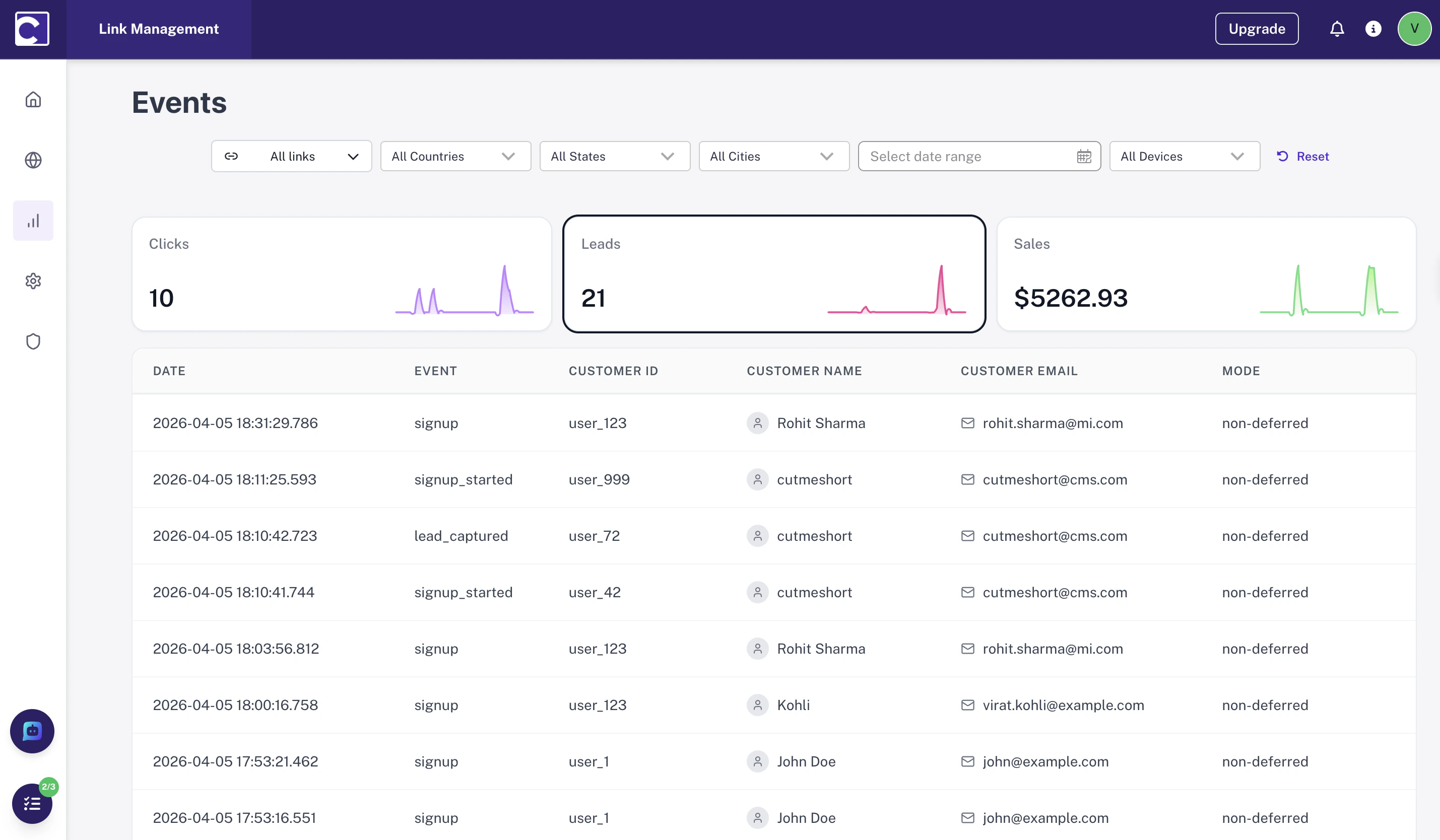
Common “Lead” actions
- Form submit (Contact us / Request demo)
- Account sign-up / trial start
- Booking a meeting
What you should send
- Who: any stable user identifier you have (email, userId, phone, etc.)
- When: event time (ISO string) or server timestamp
- What: lead source details (optional) and metadata about the lead action
Example Lead payload
Sale event
Use Sale when money is actually collected or a paid subscription is created. This is your “revenue conversion” event.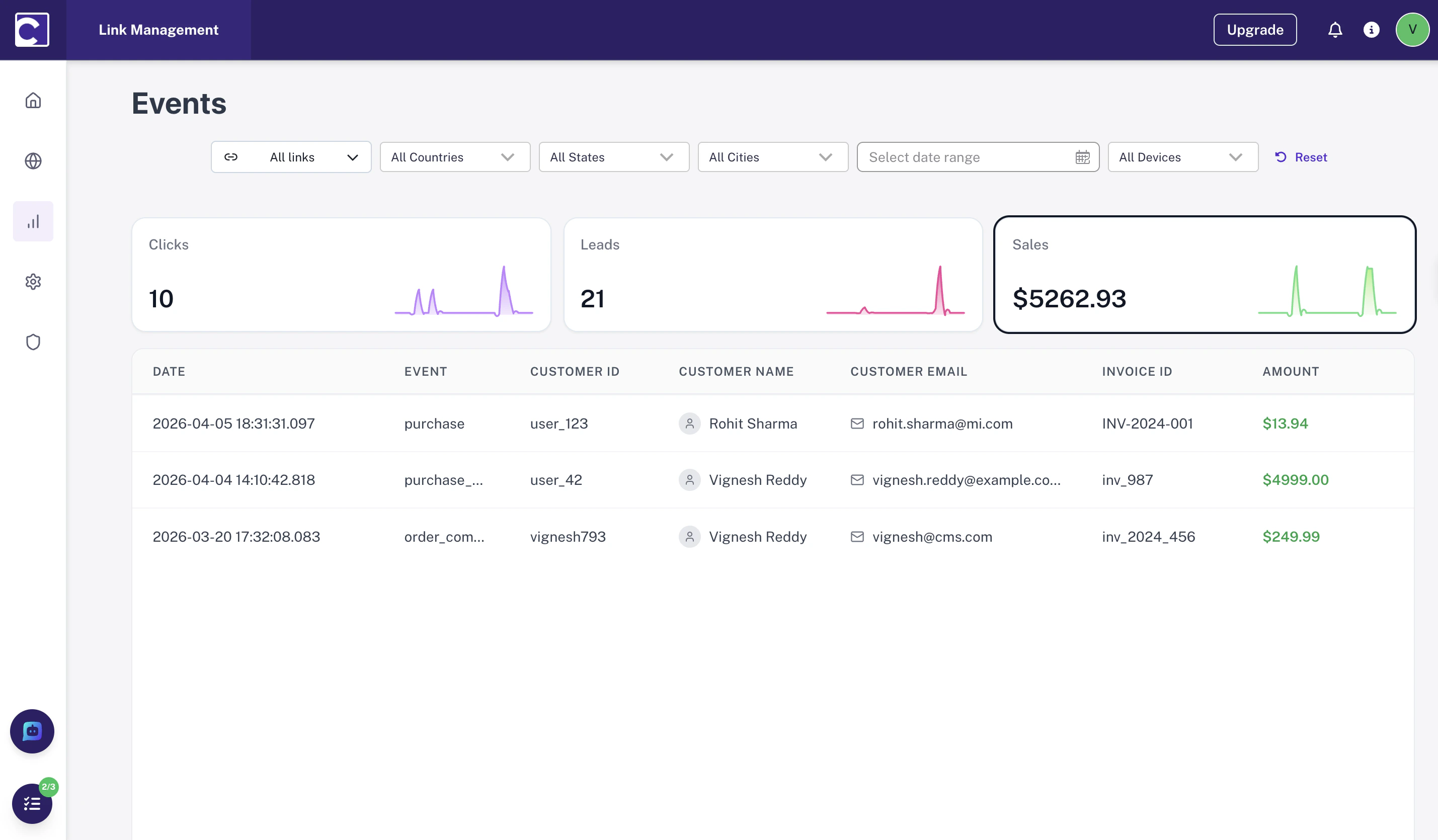
Common “Sale” actions
- Checkout success / order paid
- Subscription created
- Payment captured (server-side confirmation)
What you should send
- Who: the same stable identifiers used for the Lead event (so we can connect the journey)
- When: event time (ISO string) or server timestamp
- How much: order value, currency, and optionally orderId
- What: product details (optional) and metadata about the purchase
Example Sale payload
Lead vs Sale (quick guidance)
- Send Lead for intent actions (form submit, sign-up, trial start).
- Send Sale for revenue actions (paid order, subscription created, payment captured).
- Use consistent identifiers across both events so they can be tied together.