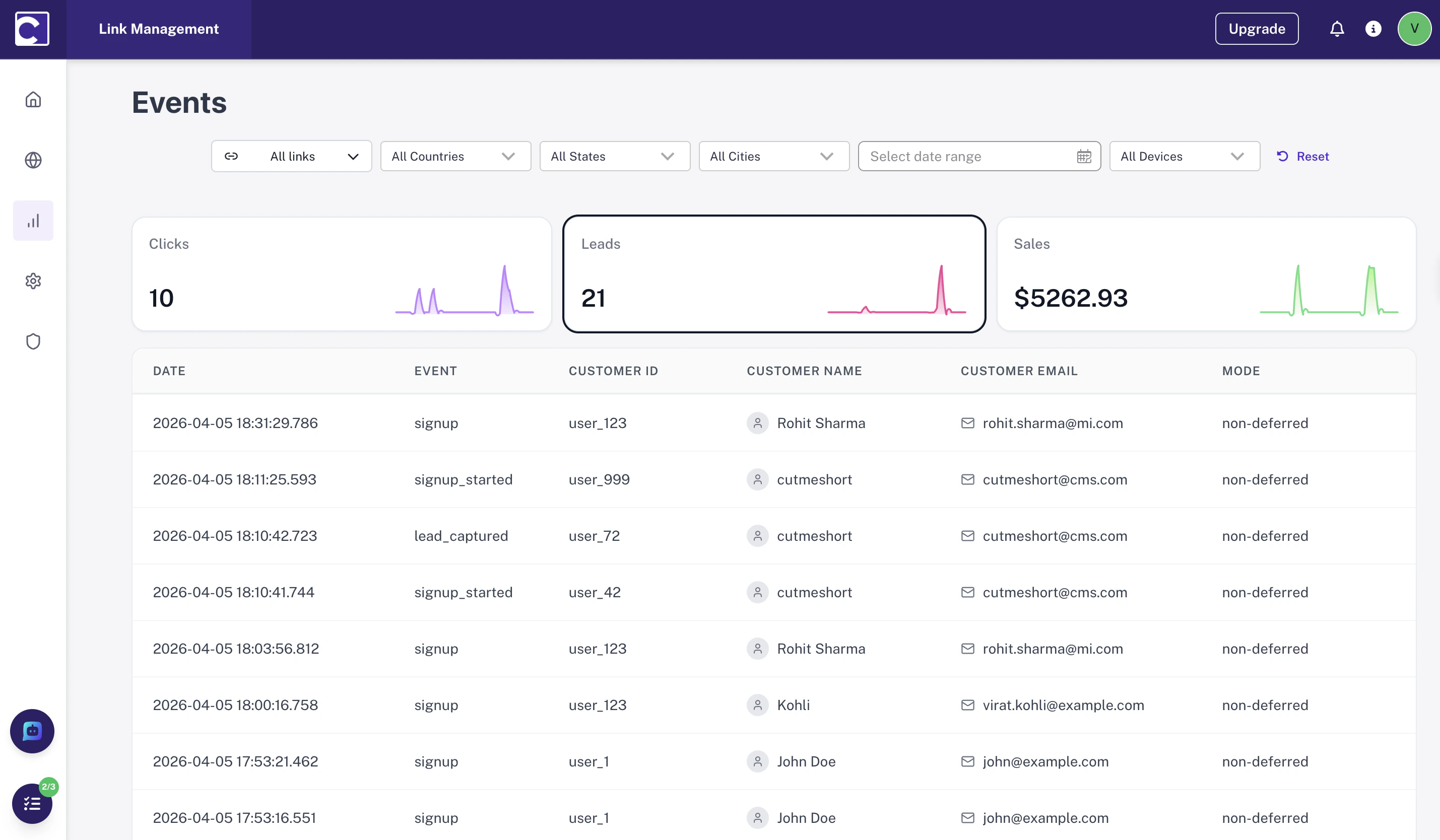
What is a Lead Event? Lead events help you:
Attribute leads to the correct source and campaignUnderstand journey quality across different traffic channelsImprove ROI reporting by linking verified actions to ad spend
Common lead events include:
Tracking Modes There are two supported approaches. Choose based on whether your signup flow includes a verification step.
Non-Deferred Tracking Use this when you can immediately trust the lead action and no verification is needed.
Send a single event right away
Include clickId and customerExternalId
Attribution is established immediately
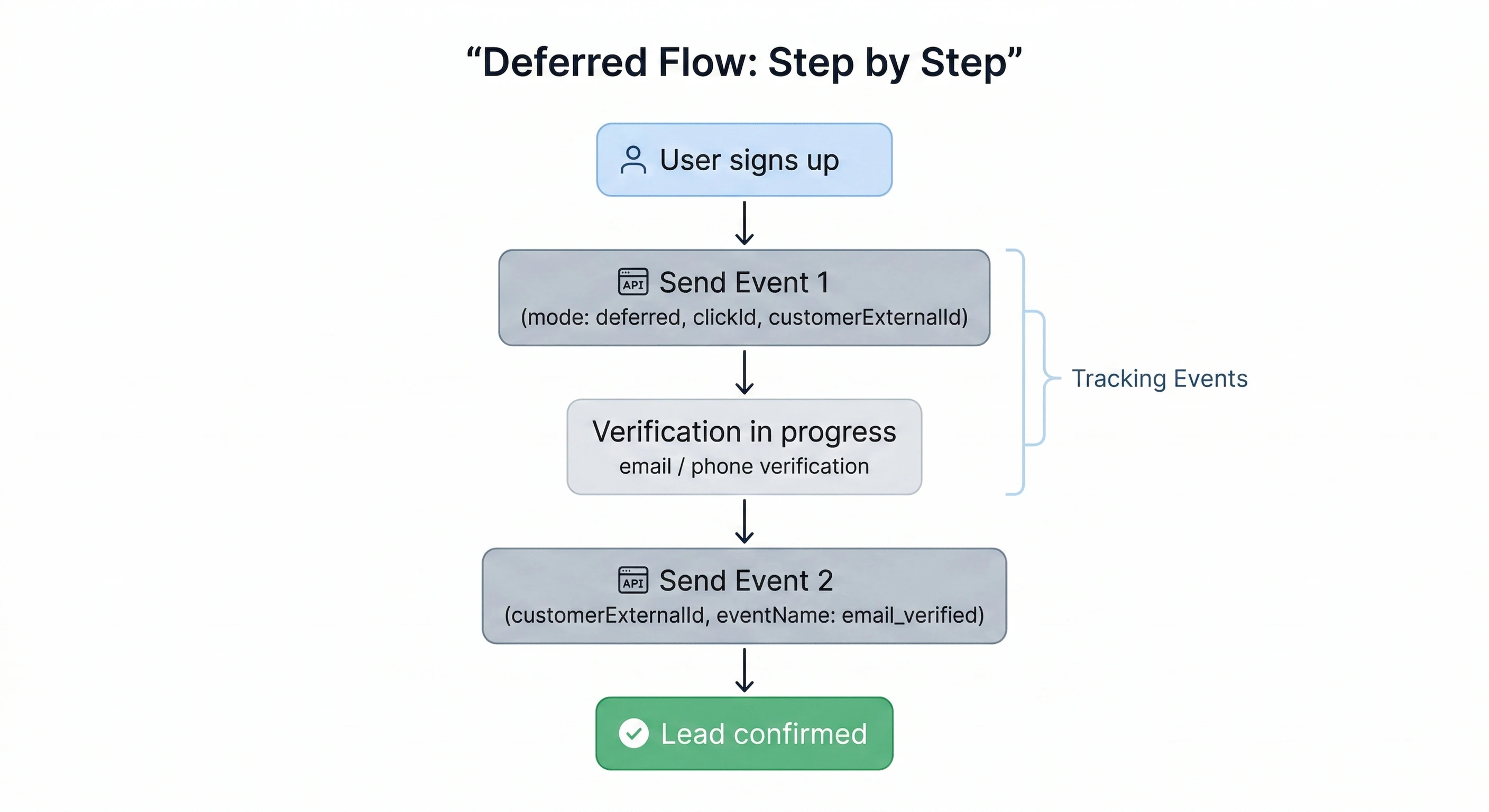
Deferred Tracking Use this when verification is required before finalizing the lead (e.g., email or phone confirmation).
Send two events — one before and one after verification
Use mode: "deferred" on the first event
Both events are linked via a shared customerExternalId
When in doubt, use deferred tracking. It’s safer to hold a lead open until verified than to count unconfirmed signups as conversions.
Event 1 - Before Verification Send this immediately when the user initiates signup.
clickId is a unique identifier stored in cookies when our script detects cms_rf in the URL. See article to know more.Required fields:
clickId — establishes attributionmode: "deferred" — marks this lead as pendingcustomerExternalId — stable unique ID for the user
Optional but recommended:
customerName, customerEmail, customerAvatar — enriches analytics
Event 2 - After Verification Send this once the user completes the verification step.
Required fields:
customerExternalId — must match Event 1 exactlyeventName — describes the verification action (e.g. email_verified)
Do not include clickId in Event 2. Sending it again will cause duplicate attribution errors. The second event only links back to the first via customerExternalId.
Payloads Non-Deferred Lead A single event when no verification step is required.
Deferred Lead — Event 1 (Before Verification) Initiates deferred lead tracking. Attribution is locked to the clickId here.
Add user details (customerName, customerEmail) in this first event. They will be attached to the lead even before verification completes.
Deferred Lead Event 2 (After Verification) Confirms the lead. Must use the same customerExternalId as Event 1.
The customerExternalId in Event 2 must exactly match the value sent in Event 1. Any mismatch will break the attribution chain and result in an unlinked lead.
Fields