What is a Sale Event?

Sale events help you:
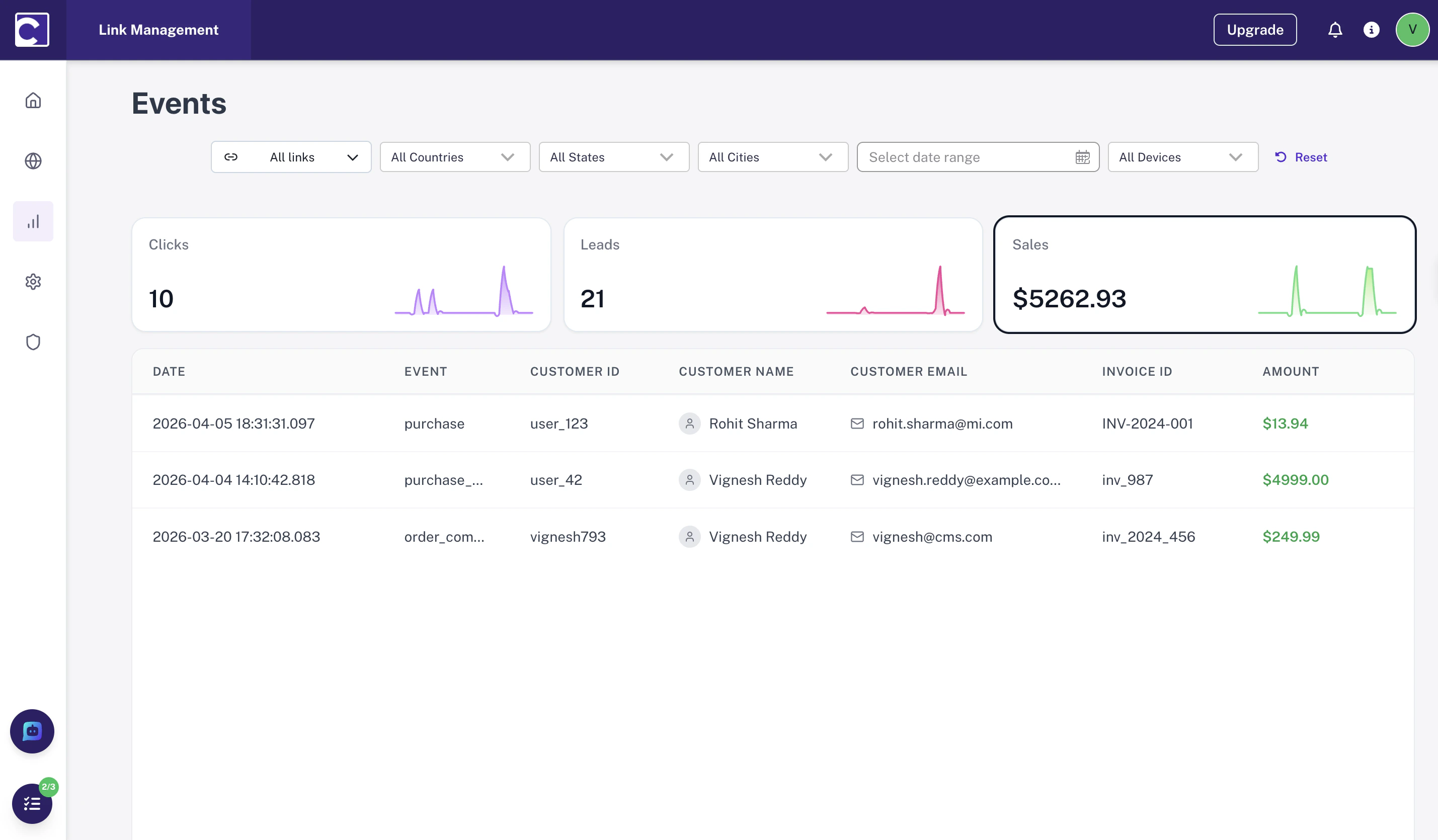
  • Attribute revenue to the correct source and campaign
  • Measure conversion quality across traffic channels
  • Connect lead-to-sale journeys so you can see which leads actually became customers
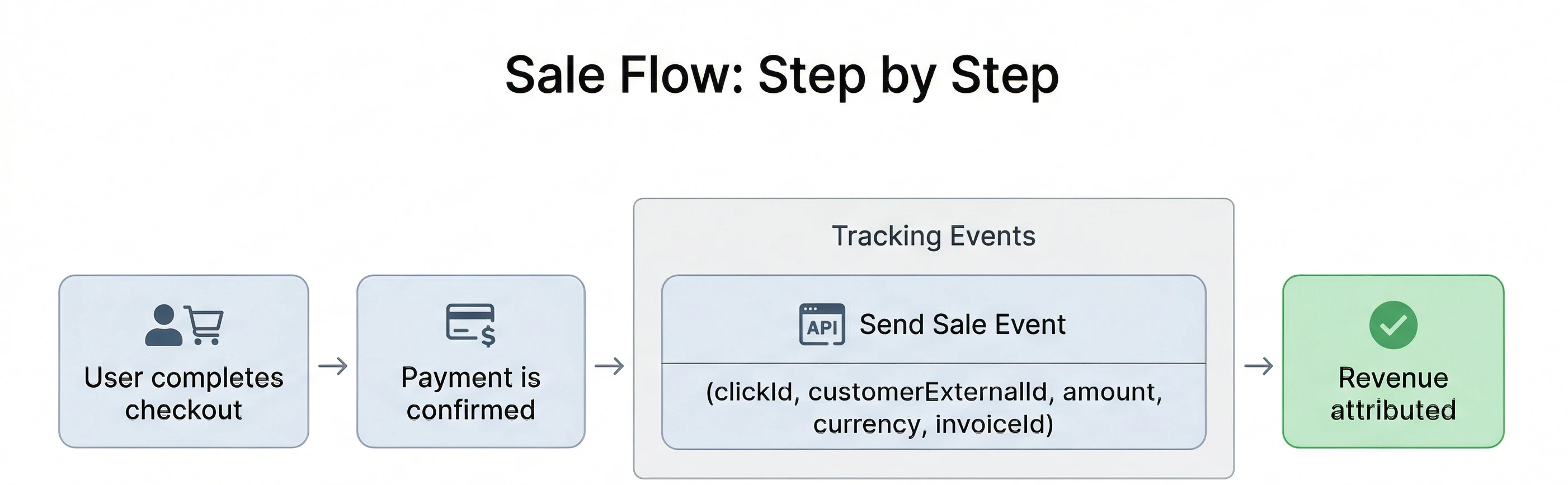
Sale event attribution flow
Common sale events include:
EventDescription
checkout_completedUser finishes a successful purchase
subscription_createdPaid plan starts after checkout
payment_capturedPayment is confirmed on the server
order_paidOrder moves from pending to paid

Tracking Flow

Sale tracking is usually a single revenue event that you send once the payment is confirmed.
  • Send the event after the purchase is successful
  • Include the same stable identifiers used in your lead flow
  • Pass revenue fields like amount, currency, and an invoice identifier
Send sale events server-side when possible. Payment confirmation is usually the most reliable point to record revenue and avoids duplicate browser-triggered events.
Sale event attribution flow

What to send

Required fields:
  • clickId — links the sale back to the original click attribution
  • customerExternalId — stable identifier for the customer
  • amount — revenue value for the sale
  • invoiceId — helps deduplicate retries and repeated submissions
Strongly recommended:
  • event — should describe the purchase action, such as sale
  • currency — currency code such as USD or EUR
  • timestamp — improves sequencing and debugging
Optional but useful:
  • email, name, phone — enriches identity matching

How Sale Attribution Works

Sale attribution works by matching the purchase event back to the original traffic source.
  1. A user clicks a tracked link and receives a clickId.
  2. The user later becomes a lead or customer using the same stable identifier.
  3. When the payment succeeds, you send the sale event with the same customerExternalId and the original clickId.
  4. The platform ties the revenue to the source that initiated the journey.
Do not generate a new customer identifier at sale time. If the sale event uses a different customerExternalId, the attribution chain can break and revenue may not connect to the original lead.

Payload

A single revenue event after payment is confirmed.
{
  "event": "sale",
  "timestamp": "2026-04-10T12:45:10.000Z",
  "clickId": "clk_abc123",
  "customerExternalId": "user_123",
  "email": "alex@example.com",
  "name": "Alex Johnson",
  "currency": "USD",
  "amount": 199.0,
  "invoiceId": "inv_987"
}
All revenue is normalized to USD.
  • If currency is not provided, the system assumes the amount is in USD.
  • If currency is provided (e.g., INR, CNY, EUR), the amount is automatically converted to USD before storage and reporting.
  • Currency conversions are performed using the current day’s exchange rate.

Fields

FieldRequiredNotes
eventYesUse a purchase-oriented name such as sale.
customerExternalIdYesStable customer identifier used across lead and sale.
amountYesRevenue amount for the sale.
currencyYesISO currency code such as USD, EUR, or INR.
clickIdRecommendedConnects the sale back to the originating click.
invoiceIdRecommendedHelps prevent duplicate revenue records.
timestampRecommendedISO 8601 format is preferred.
emailOptionalUseful for identity matching and reporting.
nameOptionalUseful for enriching customer data.